

Hearing Aid Technology Features Explained: How to Use the New Global Guide
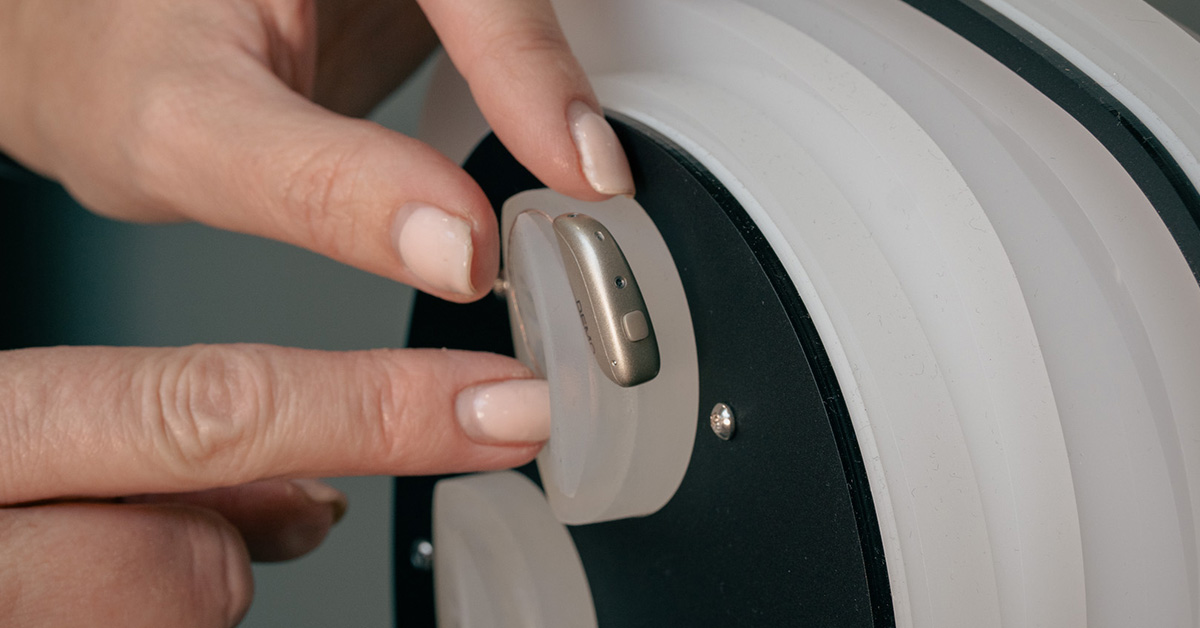
Modern hearing aids are packed with technology, yet most people are handed a brochure and a price list and expected to make a decision.
A new research paper in the International Journal of Audiology has finally put structure around this. It analysed 119 technical documents from six major manufacturers, identified 253 unique hearing aid technology features, and grouped them into a standard set of feature families.
That work now sits behind a consumer-facing resource, “A Guide to Understanding Hearing Aid Technology”, prepared by the National Acoustic Laboratories for the Australian Government’s Hearing Services Program.
At Alto we are using this framework in the UK, to help clients and families cut through jargon and focus on what actually matters.
In this article we cover:
Why hearing aid technology has felt so confusing
The research team start from an uncomfortable truth.
- People who are suitable for hearing aids wait almost nine years on average before adopting them.
- Around 20 per cent never take them up at all.
- Of those who do, many struggle with physical fit, sound quality and day‑to‑day use, and almost a quarter stop wearing them.
Part of the problem is the way technology is explained:
- Each manufacturer uses its own brand names.
- The same basic idea can appear under several different labels.
- First‑time users are given dense, technical documents during short clinic visits.
The result is decision fatigue. People either give up or default to price as the main differentiator.
The new lexicon and Guide to Understanding Hearing Aid Technology were designed to fix that.
The research behind the new common language
The paper “Demystifying hearing aid technology features through a novel iterative process in lexicon development” describes what the team actually did.
In short:
- They selected 12 modern hearing aids from six global manufacturers, one premium and one entry level from each.
- They reviewed 119 documents: product guides, specification sheets, white papers and technical articles.
- They extracted every feature named, then decoded what it does and what benefit it claims for the wearer.
- They reduced 362 feature mentions to 253 unique features, then grouped them into feature families such as “Directional microphones”, “Noise reduction” or “Rechargeability”.
- They refined the structure through consultation with manufacturers and Deafness Forum of Australia, and simplified the language to roughly Year 6–8 reading level.
The result is a standard vocabulary that feeds directly into the public Guide to Understanding Hearing Aid Technology, which sets out the information in a very practical way.
Meet the guide: six pillars of modern hearing aid technology
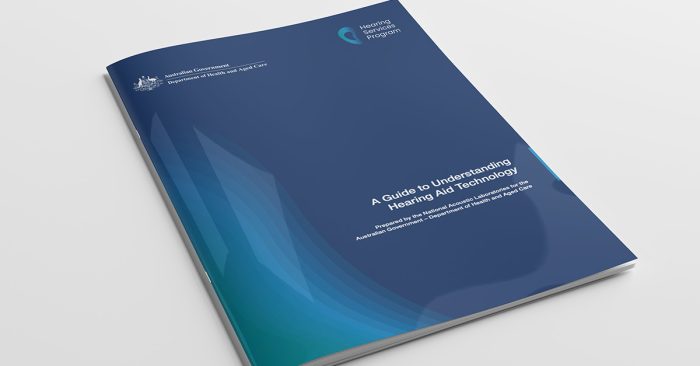
The guide is organised around six top‑level areas that matter to real people, not engineers: Speech Understanding, Sound Quality, Comfort, Usability, Connectivity, Personalisation.
On pages 5 to 23 you see each area laid out in a three‑column table:
- Level 1: Feature family
- Level 2: Specific features
- Examples of intended purpose, written in everyday language
Below is a plain‑English walkthrough, with examples you can relate to daily life.
This is about how well you follow conversation, especially in noise.
Key feature families in the guide include:
Directional microphones
These help your hearing aids focus on sound from certain directions, often the person in front of you.
Examples from the guide:
-
Automatic directional microphones switch between “all around” and “focused” modes, depending on how noisy it is.
-
Adaptive directional microphones move the focus as speech or noise changes location.
-
Binaural directionality uses both ears together to create a narrow focus in front, or to favour the “better ear” when one side has more noise.
In real life: they are the reason a family lunch at a busy restaurant can feel manageable rather than hard work.
Remote wireless microphones
Separate microphones send sound directly to your hearing aids using radio or Bluetooth.
-
Classic FM systems are common in lectures and meetings.
-
Table and clip‑on microphones help in group conversations and work situations.
These are invaluable for clients who attend committees, board meetings or large family gatherings.
Gain and compression
This is how your hearing aids make softer sounds audible while keeping loud sounds comfortable.
-
Wide Dynamic Range Compression boosts softer sounds and reins in loud ones.
-
The number of bands or channels affects how finely this can be adjusted across different pitches.
Well‑set gain and compression are the foundation of speech clarity.
Once you can hear, the next question is how natural and enjoyable the world sounds.
The guide separates this into:
High fidelity sound
-
Music programmes tailored for richer tone.
-
Extended frequency range for more low or high pitch detail.
-
Extended dynamic range to handle subtlety and power in music without distortion.
For clients who enjoy concerts, choirs or a good piano, this family makes a real difference.
Frequency shaping
-
Spatial cue preservation keeps the subtle timing and level differences that help you tell where a sound is coming from.
-
Streamed audio equalisation adjusts streamed sound (for example from a phone or TV) to compensate for open fittings or noisy surroundings.
This matters for localisation and the sense of “space” in sound.
Frequency lowering
For some people, the highest pitches are permanently out of reach. Frequency lowering moves important high‑frequency information, such as “s” and “f” sounds, into a range you can hear, using methods like compression or transposition.
The guide connects this directly to speech understanding and audibility.
Sound delivery
Physical parts like receivers, domes and earmoulds shape both comfort and sound. The guide includes:
-
Coupling options, from slim tubes and domes to custom moulds
-
CROS/BiCROS systems for people with hearing on one side only, sending sound across to the better ear.
These choices sit behind whether you forget you are wearing your hearing aids or constantly notice them.
Comfort is not just about how the aid feels on the ear. It covers how tiring sound is over a long day.
The guide clusters comfort features into three families.
Noise reduction
-
Adaptive noise reduction reduces steady background sound while preserving speech.
-
Soft noise reduction removes very quiet internal or environmental noises that can be irritating.
-
Reverberation reduction tackles echoes in large halls.
-
Feedback prevention cuts the whistling that can happen if sound leaks back to the microphones.
Tinnitus therapy
-
Tinnitus management features generate therapeutic sounds to mask or ease tinnitus.
-
Tinnitus resources provide education and coping strategies inside apps and devices.
Wearing comfort
-
Acclimatisation management gently introduces more amplification over time so new wearers can adjust.
-
Processing of the wearer’s voice reduces that “boomy” sensation when you hear your own voice through the devices.
For many first‑time wearers this area decides whether they keep their hearing aids in all day or leave them in a drawer.
Usability is the difference between “I know exactly what my aids are doing” and “I never touch the settings”.
Feature families in the guide include:
Environmental adaptation
-
Environmental classifiers categorise where you are, such as “quiet”, “speech in noise” or “music”.
-
Automatic environment‑based adjustments change settings for you based on that classification.
-
Advanced sensors like motion or GPS further refine these decisions and can support health tracking.
Ear‑to‑ear communication
Your two hearing aids behave as a single system.
-
Bilateral synchronisation means a change on one side (for example a volume tap) applies to both, and automatic scene changes happen together.
Rechargeability
-
Modern lithium‑ion batteries that you place into a desktop or portable charger, designed to last a full day per charge. Some chargers include drying and cleaning functions.
Device control
-
Smartphone app control for volume, programmes and sometimes fine adjustments like treble or noise reduction, plus features like “find my hearing aids” or activity tracking.
-
On‑device control via buttons or tap gestures for those who prefer not to use an app.
Done well, these features mean less fiddling and more confidence.
Many of our clients care as much about joining video calls and watching television as they do about hearing across a dining table.
The guide breaks connectivity into four families.
Telecoil
A small coil inside the hearing aid picks up sound directly from hearing loops in theatres, churches, courtrooms and some telephones, cutting out much of the surrounding noise.
Mobile phone and device connectivity
Streaming technologies using Bluetooth connect hearing aids to smartphones, tablets and televisions for calls and media.
Accessory connectivity
Links to external devices such as:
-
Remote microphones
-
TV streamers
-
Classroom or group controllers
Phone assistive technology
Automatic detection that a phone is at your ear and switching into an optimised “phone programme”, often streaming the call to both ears.
The final pillar is about tailoring the system to you and keeping it aligned with your life over time.
Manual adjustment
-
Custom programmes for favourite situations.
-
App‑based controls to tweak microphone focus, bass/treble balance or noise reduction in the moment.
Smart personalisation
-
The hearing aids learn from your behaviour and start making those adjustments automatically.
-
Over time, your preferred volume in a café or favourite programme for the theatre may be applied for you.
Clinical tools
-
Wireless fitting makes the fitting session more comfortable and flexible, since your devices no longer need cables to the computer.
Remote clinician adjustments
-
Real tele‑audiology, where your clinician can fine‑tune your hearing aids while you sit at home using a secure app.
-
Remote firmware updates to add features or fix issues over time.
Artificial intelligence and health features
The guide groups newer features such as:
-
Acoustic scene classifiers that use machine learning to understand different listening situations more precisely.
-
Wearer preference‑based predictions that adapt settings automatically.
-
Health and lifestyle monitoring, where activity and social engagement data support wellness goals and even fall alerts.
These are the areas where premium technology is moving fastest.
Premium vs entry level: what really differs
The research paper compares how many features from each family appear in premium versus entry level devices.
In summary:
- Premium models show more features overall and a broader spread across families.
- They particularly concentrate on
- Noise reduction
- Directional microphones
- High fidelity sound
- Environmental adaptation and smart personalisation
- Rechargeability, remote microphones and advanced connectivity
- Entry level models retain core functions such as amplification, basic directionality and telecoil, and tend to lean on “legacy” features.
The guide and lexicon are really clear on one point. A list of features is not a guarantee of performance. Two devices may both claim “noise reduction” yet behave very differently.
What matters is how those feature families align with:
- Your hearing profile
- Your listening environments
- How much you value things like streaming or phone use
- The quality of the fitting and follow‑up
How Alto builds this guide into your care

We see the Guide to Understanding Hearing Aid Technology and the underlying research as really important for the industry as a whole.
We already have an approach which places the client at the centre, and aim to break things down to be clear and understandable. This guide absolutely supports that. In practice, it means:
1. Starting with intended purpose
The final version of the lexicon was restructured so Intended Purpose sits at the top of the hierarchy.
In consultations we already aim to mirror this:
- “I want to follow fast conversation at family lunches.”
- “I sit on boards and need to hear confidently in meetings.”
- “I mainly want easy one‑to‑one conversation and streaming at home.”
Only then do we talk about which feature families and models deliver those outcomes.
2. Translating brand language into neutral feature families
Instead of repeating proprietary names, we map each device to the guide’s structure:
- Does this model give you advanced directional microphones and remote microphones for group listening?
- How strong is its noise reduction and environmental adaptation?
- What does it offer on rechargeability and remote clinician adjustments?
That keeps the conversation brand‑neutral and focussed on benefit.
3. Planning for the long term
The research highlights that many people stop using hearing aids without going back to their provider for help.
Our long‑term treatment plans include:
- Regular review of which feature families you actually use
- Adjustments as your hearing, work or social life change
4. Keeping things clear and manageable
Consumer feedback on the guide warned against overwhelming people with long lists and technical terms.
So our written recommendations typically:
- Highlight three or four feature families that really matter for you
- Explain in plain English how your chosen devices handle them
- Set realistic expectations about where technology helps, and where communication strategies still matter
TLDR:
- A major new study has mapped 253 hearing aid features into 24 feature families, creating a shared language across manufacturers.
- This work underpins “A Guide to Understanding Hearing Aid Technology”, a practical resource built around six pillars: Speech Understanding, Sound Quality, Comfort, Usability, Connectivity, Personalisation.
- Premium devices tend to offer richer feature sets in noise reduction, directionality, sound quality, smart personalisation, rechargeability and connectivity, while entry level models focus on core functions. Demystifying hearing aid techno…
- The value is not in the feature list itself, but in how well those feature families match your hearing, your life and the quality of your fitting and aftercare.
Frequently Asked Questions
What is “A Guide to Understanding Hearing Aid Technology”?
It is a 24‑page consumer resource commissioned by the Australian Government’s Hearing Services Program and written by the National Acoustic Laboratories. It explains modern hearing aid technology in six main areas, using plain language, tables and icons, and gives examples of what each feature is meant to achieve.
How is the guide different from the research paper?
The research paper sets out the method and data behind the lexicon: how 253 features were identified and grouped, and how manufacturers and consumers were consulted.
The Guide to Understanding Hearing Aid Technology takes that structure and turns it into a practical, readable tool for people with hearing loss and their families.
Think of the paper as the blueprint and the guide as the finished house.
Does more technology always mean better hearing?
Not necessarily. The study shows that premium devices include more features and more advanced versions of them, especially in demanding listening situations, connectivity and personalisation.
However, the right choice depends on:
– Your specific hearing loss
– The situations that matter most in your week
– How sensitive you are to sound quality and comfort
– How much you will use connectivity and remote support
One of our roles at Alto is to match the right level of technology to your life, not simply to the top of a manufacturer’s range.
I already wear hearing aids. Is the guide still useful?
Yes. Many long‑term users in the Deafness Forum review of the guide said it clarified features they already had and helped them ask sharper questions about upgrades.
You can use the six pillars and feature families to audit your current devices:
– Which of these do I already have and use?
– Which do I never touch?
– Which would genuinely improve my daily listening if I upgraded?
Bring that list to your next Alto review and we will explore it together.
How do I know which feature families matter most for me?
A simple rule of thumb:
– If your biggest challenge is hearing in groups or noisy places, focus on Speech Understanding, Comfort and Personalisation.
– If you love music, theatre or high‑quality streamed sound, focus on Sound Quality and Connectivity.
– If you value easy daily management and reliable support while travelling, emphasise Usability and Connectivity.
An Alto Hearing consultation will walk through these systematically so you can leave with a clear written summary of what you have chosen and why.
The Latest
Why Background Noise Makes Hearing So Much HarderHearing Loss and Hearing Aids: How to Choose the Right HelpThe Hearing Event: Education Before DecisionDamped ear hook: why there’s a mesh inside your hearing aidDiabetes and hearing loss: the overlooked link, early signs and when to get tested