

Hearing-aid brochures use different names for similar features. That makes it difficult to compare what the devices do and which functions you would use.
The National Acoustic Laboratories developed A Guide to Understanding Hearing Aid Technology for the Australian Government. It groups features by their purpose, including speech understanding, comfort and connectivity. A paper published in the International Journal of Audiology in 2025 explains the research behind it.
At Alto, we use that vocabulary to explain a recommendation in ordinary language. The choice includes the hearing aids, the dome or custom earpiece, any accessories and the support you need afterwards.
In this article
Why manufacturers’ feature names are hard to compare
Each manufacturer uses its own names for sound processing, microphone systems and automatic adjustments. Similar descriptions can refer to different implementations, while different names can describe a similar function.
The NAL guide gives those functions a shared vocabulary. It explains what a feature is intended to do. It cannot tell you how well a particular hearing aid will work for you.
How the researchers compared hearing-aid features
The paper “Demystifying hearing aid technology features through a novel iterative process in lexicon development” describes the method:
- They selected 12 behind-the-ear and receiver-in-canal hearing aids from six manufacturers, one premium and one entry-level model from each. They collected the manufacturer material in April and May 2022.
- They reviewed 119 documents: product guides, specification sheets, white papers and technical articles.
- They extracted every feature named, then decoded what it does and what benefit it claims for the wearer.
- They reduced 362 feature mentions to 253 unique features, then grouped them into feature families such as “Directional microphones”, “Noise reduction” or “Rechargeability”.
- They refined the structure through consultation with manufacturers and Deafness Forum of Australia, and simplified the language to roughly Year 6–8 reading level.
After consultation, the final framework contained 24 feature families. The Australian Government published the consumer guide in February 2024, before the journal paper appeared. The researchers reviewed manufacturer documents; they did not test the devices or verify their performance claims.
The guide’s six areas of hearing-aid technology
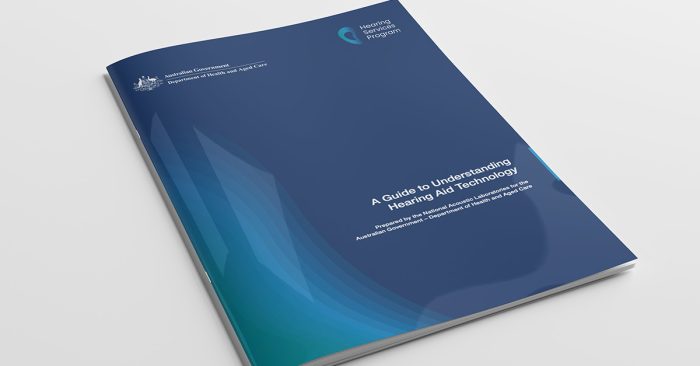
The guide is organised around Speech Understanding, Sound Quality, Comfort, Usability, Connectivity and Personalisation. Within each area, it lists feature families, individual features and examples of their intended purpose.
Matching features to daily life
Several features can be relevant to the same difficulty. The examples below show why we consider them together.
| Situation | Relevant features | What changes the recommendation |
|---|---|---|
| Following conversation around a busy table | Directional microphones, noise reduction and remote microphones | Where people sit, how far away they are and your speech-in-noise results help us choose the microphone arrangement. |
| Listening to a speaker across a room | Remote wireless microphones | A microphone near the speaker sends their voice to compatible hearing aids. It needs to suit the setting and be practical to use. |
| Listening to or playing music | Music programmes, frequency range and sound delivery | Live music and streamed music use different sound sources. The programme and earpiece both affect what you hear. |
| An uncomfortable earpiece or a boomy own voice | Coupling, gain settings and own-voice processing | We need to check the dome or earmould and the fitting as well as the processing. |
| Difficulty inserting, charging or adjusting the aids | Rechargeability, physical controls, apps and remote controls | Button size, grip, cleaning and how the aids sit in the charger can change which design is practical. |
| Calls, podcasts or television audio | Phone connectivity and compatible accessories | App control, audio streaming and hands-free calling are separate functions. Television may need a streamer. |
The six sections below explain the features in more detail.
1. Speech understanding
This is about how well you follow conversation, especially in noise.
Key feature families in the guide include:
Directional microphones
These help your hearing aids focus on sound from certain directions, often the person in front of you.
Examples from the guide:
- Automatic directional microphones switch between “all around” and “focused” modes, depending on how noisy it is.
- Adaptive directional microphones move the focus as speech or noise changes location.
- Binaural directionality uses both ears together to create a narrow focus in front, or to favour the “better ear” when one side has more noise.
Directional microphones can help favour a voice over noise arriving from another direction. Distance and several people speaking at once still make conversation difficult. Speech-in-noise testing helps us assess how much louder speech needs to be than background noise for you to follow it.
Remote wireless microphones
Separate microphones send sound directly to your hearing aids using radio or Bluetooth.
- FM systems transmit sound from an external microphone using radio signals.
- Table and clip-on microphones help in group conversations and work situations.
A microphone near the speaker picks up their voice before it travels across the room. The position of a personal or table microphone affects who you hear.
Gain and compression
This is how your hearing aids make softer sounds audible while keeping loud sounds comfortable.
- Wide Dynamic Range Compression boosts softer sounds and reins in loud ones.
- Compression channels process different frequency ranges separately. They are distinct from the fitting bands your audiologist uses to adjust amplification towards your prescription. A higher channel count alone does not establish better speech clarity.
2. Sound Quality
Music, the sound of your own voice and the balance of streamed audio can need different settings. The guide separates sound-quality features into:
High fidelity sound
- Music programmes use a separate set of sound settings for listening to or playing music.
- Extended frequency range for more low or high pitch detail.
- Extended dynamic range to handle a wider spread of sound levels before distortion occurs.
A music programme needs adjusting for what you listen to or play, and whether the sound reaches the microphones or streams to the aids.
Frequency shaping
- Spatial cue preservation aims to retain or simulate the sound cues from your head and outer ears that help you locate a sound.
- Streamed audio equalisation adjusts streamed sound (for example from a phone or TV) to compensate for open fittings or noisy surroundings.
Frequency lowering
Frequency lowering moves higher-pitched information into a lower range. An audiologist may use it when conventional amplification does not make those sounds sufficiently audible. The setting needs checking for audibility and how clearly you can distinguish speech sounds.
Sound delivery
Physical parts like receivers, domes and earmoulds affect comfort and sound. The guide includes:
- Coupling options, from slim tubes and domes to custom moulds
- CROS/BiCROS systems send sound from an ear that cannot be usefully aided to the better ear. BiCROS also provides amplification for hearing loss in that better ear.
The dome or earmould needs to deliver the required sound and fit securely and comfortably. A processing feature cannot compensate for a poorly matched earpiece.
3. Comfort
The comfort features cover background sound, tinnitus support and getting used to amplification.
The guide clusters comfort features into three families.
Noise reduction
- Adaptive noise reduction aims to reduce unwanted background sound while retaining speech information.
- Soft noise reduction reduces low-level internal or environmental noise.
- Reverberation reduction aims to reduce the effect of echoes.
- Feedback prevention helps control whistling caused by amplified sound leaking back to the microphones. Persistent whistling also needs a fitting check.
Tinnitus therapy
- Some hearing aids include sound generators used as part of tinnitus management. An audiologist can advise whether sound support is appropriate.
- Tinnitus resources provide education and coping strategies inside apps and devices.
Wearing comfort
- Acclimatisation management increases amplification gradually over a set period.
- Own-voice processing changes amplification when the hearing aids detect you speaking. A boomy or blocked sensation also calls for a check of the earpiece and its venting.
Follow-up gives us a chance to review sound comfort and adjust the fitting as you get used to wearing the aids.
4. Usability
Usability includes putting the aids in, charging them, changing settings and keeping them clean.
Feature families in the guide include:
Environmental adaptation
- Environmental classifiers use the sounds around you to identify situations such as speech in noise or music.
- Automatic environment-based adjustments change settings for you based on that classification.
- Some systems also use movement or location information to adjust settings or support activity tracking. These functions are specific to the model and its connected services.
Ear-to-ear communication
Your two hearing aids behave as a single system.
- Bilateral synchronisation means a change on one side (for example a volume tap) applies to both, and automatic scene changes happen together.
Rechargeability
- Rechargeable hearing aids use a desktop or portable charger. Running time depends on the model, battery condition and use, including streaming. Some chargers also dry the aids or include a cleaning function.
Device control
- Smartphone app control for volume, programmes and sometimes fine adjustments like treble or noise reduction, plus features like “find my hearing aids” or activity tracking.
- On-device control via buttons or tap gestures for those who prefer not to use an app.
Button size, grip and charger design can affect which aids you can manage comfortably. Our guide to choosing hearing aids with arthritis or poor eyesight covers those practical differences.
5. Connectivity
Many of our clients care as much about joining video calls and watching television as they do about hearing across a dining table.
The guide breaks connectivity into four families.
Telecoil
A small coil inside the hearing aid picks up sound directly from hearing loops in theatres, churches, courtrooms and some telephones, cutting out much of the surrounding noise.
Mobile phone and device connectivity
Compatible wireless connections can send calls and media to hearing aids. Support varies between phones, tablets, computers and hearing-aid models; television audio often needs an accessory.
Accessory connectivity
Links to external devices such as:
- Remote microphones
- TV streamers
- Classroom or group controllers
Phone assistive technology
Some aids detect a handset held near the ear and switch to a telephone programme. That is a different function from a Bluetooth connection for streaming calls.
An app can control hearing aids even when the phone cannot stream calls to them. Our hearing-aid phone compatibility guide explains app control, streaming and hands-free calling separately.
6. Personalisation
Personalisation covers the changes you make yourself and the adjustments your audiologist makes. The learning, remote-support and health functions listed here are available on selected systems.
Manual adjustment
- Custom programmes for favourite situations.
- App-based controls to tweak microphone focus, bass/treble balance or noise reduction in the moment.
Smart personalisation
- Learning features can use your adjustments or choices in an app to suggest or apply preferred settings. The method differs between systems; it is separate from the hearing aids’ automatic response to surrounding sound.
Clinical tools
- Wireless fitting lets the audiologist adjust hearing aids through a wireless connection to the fitting computer.
Remote clinician adjustments
- Remote programming lets an audiologist adjust compatible hearing aids through an app or another supported connection. It requires suitable equipment and a provider offering that service.
- Firmware updates can correct problems or add supported software functions.
Artificial intelligence and health features
Manufacturers use AI for several different jobs:
- Sound classifiers that use machine learning to select settings for different listening situations.
- Noise processing that uses a trained model to distinguish speech from competing sound and reduce that competing sound.
- Preference-based systems that suggest or apply sound adjustments.
Some models also offer health functions such as activity tracking or fall alerts. The label “AI” alone tells you little about which functions a hearing aid provides.
What the study found about premium and entry-level models
The sampled premium models had more listed features across a broader range of families. That was a finding about manufacturer documentation, not a test of which devices helped people hear better.
A list of features is not a guarantee of performance. Two devices may both claim “noise reduction” yet behave very differently.
For a purchase today, compare the specific models and technology levels being offered. Streaming, rechargeable batteries and remote support need checking individually rather than assuming they belong only to premium aids. We discuss the cost of extra features in Are premium hearing aids worth it?
How we choose the features for your hearing aids

We start with your hearing results and the situations you find difficult. Following a board meeting, hearing family around a table and listening to television can call for different combinations of features.
We are independent and choose from different manufacturers. The recommendation includes the hearing aid, the dome or custom earpiece, relevant accessories and the additional support you need. Two people choosing the same model may need different fittings.
A feature name helps us explain the choice. It does not replace checking the fitting or reviewing how you are getting on. Our hearing-aid treatment plans include ongoing support and adjustments.
Frequently Asked Questions
What is “A Guide to Understanding Hearing Aid Technology”?
It is a consumer resource prepared by the National Acoustic Laboratories for the Australian Government’s Hearing Services Program. It explains hearing-aid features and their intended purposes in six areas. The PDF has 24 pages including the cover and introductory material.
How is the guide different from the research paper?
The research paper explains how the researchers identified and grouped features, then consulted manufacturers and consumer representatives. The consumer guide presents descriptions of those features for people choosing or using hearing aids.
Does more technology always mean better hearing?
No. An activity tracker adds a function without making speech clearer. For conversation, we consider the microphones and sound processing alongside the amplification and earpiece.
I already wear hearing aids. Is the guide still useful?
Yes. You can use it to understand functions in your current aids before considering replacements. At a review, explain what is working and where you still struggle. An adjustment, a different earpiece or a compatible accessory may help without replacing the aids.
How do I know which feature families matter most for me?
Your hearing results, the situations you find difficult and the controls you can manage help us narrow down the options. The table above gives examples of how those needs relate to features.
Choosing hearing aids at Alto
A Complete Hearing Assessment includes ear health checks, hearing measurements and speech-in-noise testing. We discuss where you are struggling and whether hearing aids or another form of support would help. If we recommend hearing aids, we explain the fitting, accessories and ongoing care.