

If your hearing aid has stopped working, sounds muffled or keeps whistling, this guide explains what you can safely check at home and when to get professional help. It also covers charging problems, lost phone connections and an aid that hurts or will not stay in place.
At Alto, a blocked wax filter is the most common cause we find when someone brings in an aid that has stopped working. A flat battery or changed settings can also leave an aid silent. If your hearing has changed suddenly, read the urgent advice below before troubleshooting the aid.
If your hearing has changed suddenly
A sudden loss of hearing in either ear needs urgent medical advice. Ask for an urgent GP appointment or contact NHS 111. Do the same if your hearing has worsened over a few days or weeks, or hearing loss comes with earache or discharge. Do not wait for a hearing-aid repair appointment. This follows NHS advice on hearing loss.
In this article
There is no sound from one or both aids
Check that the affected aid is switched on. If you use an app or remote control, look for an accidental mute or a volume change. Return to your usual listening programme if you know how to select it.
For rechargeable aids, check whether charging actually completed. The charging section below covers what to look for.
For aids with replaceable batteries, try a fresh battery of the correct size. Remove its sticker and follow the packet’s activation instructions. Check that it is the right way round and the drawer closes properly. Do not force the drawer. Cambridge University Hospitals’ advice covers these battery checks.
Then look at the sound outlet and wax filter, if your aid has one. A blocked filter can stop sound reaching your ear even when the aid has power. Wipe away surface wax using the cleaning method you were shown. Replace the filter only if you have the correct part and know the procedure.
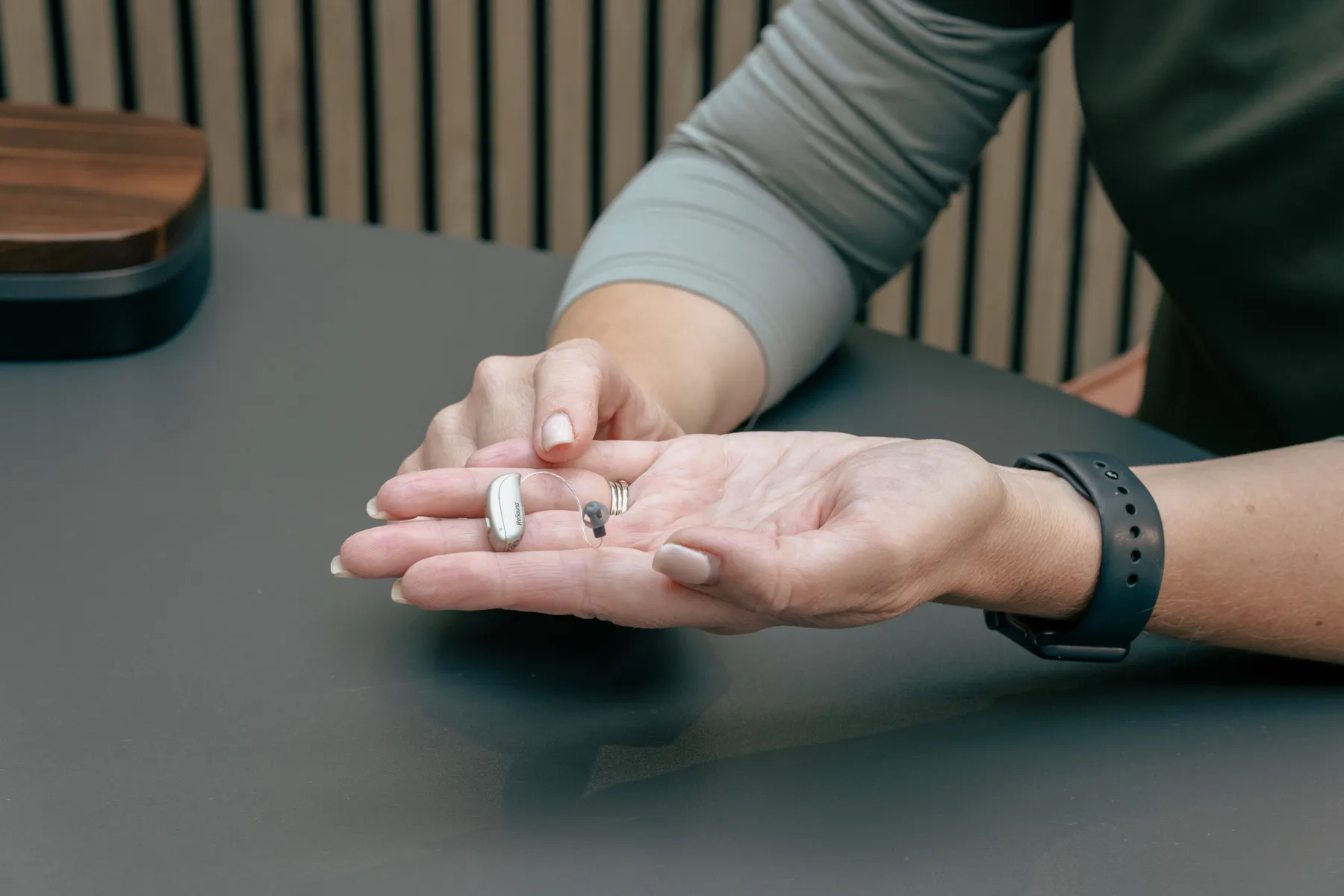
Our wax-filter demonstration shows a CeruStop guard on one receiver-in-canal, or RIC, fitting. This type of aid has a small speaker in the ear, connected to the case behind the ear by a thin wire. Filters and tools differ, so follow the current instructions for your own aid. RNID’s maintenance advice also separates cleaning instructions by hearing-aid type.
Ask your audiologist for help if you are unsure which filter to use or cannot manage the small parts. If these checks do not restore sound, arrange a check of the aid.
The sound is weak, muffled or keeps cutting out
A partly blocked filter can make an aid sound dull before it stops working altogether. Check for visible wax on the earpiece and make sure it is sitting correctly in your ear.
Hearing aids with hollow sound tubing can also have a blockage or damaged tube. A RIC aid’s thin connection contains a wire. Use the maintenance instructions for your particular fitting before detaching or cleaning anything.
Muffled sound can also involve wax in the ear, the settings or a change in hearing. Turning the volume up may leave the cause unresolved. ReSound’s troubleshooting guidance identifies these different possibilities.
Tell your audiologist whether the change affects one aid or both, and whether it happens all the time. Repeated crackling, distortion or sound that cuts in and out needs checking, even if the aid starts working again between episodes.
For new wearers, some unfamiliar sounds need time and adjustment. Our hearing-aid adjustment guide covers that early period. A sudden loss of sound or persistent discomfort deserves attention rather than more time to get used to it.
The hearing aid keeps whistling
At Alto, poor insertion or earwax are the usual causes we find when someone reports whistling or feedback. Feedback happens when amplified sound escapes and is picked up again by the hearing-aid microphones.
A brief whistle while you are putting an aid in or taking it out can happen. Whistling that continues once it is properly in place needs investigating.
Take the aid out and put it back in using the technique your audiologist showed you. Our RIC insertion demonstration can serve as a reminder for that style of fitting. Do not force the earpiece further into your ear to stop the noise.
If it still whistles, arrange a check of the fitting and your ears. A loose or damaged earpiece, split tubing or settings may also need attention, as Dorset HealthCare’s advice explains. Changing to a different dome yourself can alter both the fit and the sound.
The hearing aid is not charging
An aid sitting in its case may not be charging. Check the indicator described in your user guide, both when you put it in and before you take it out.
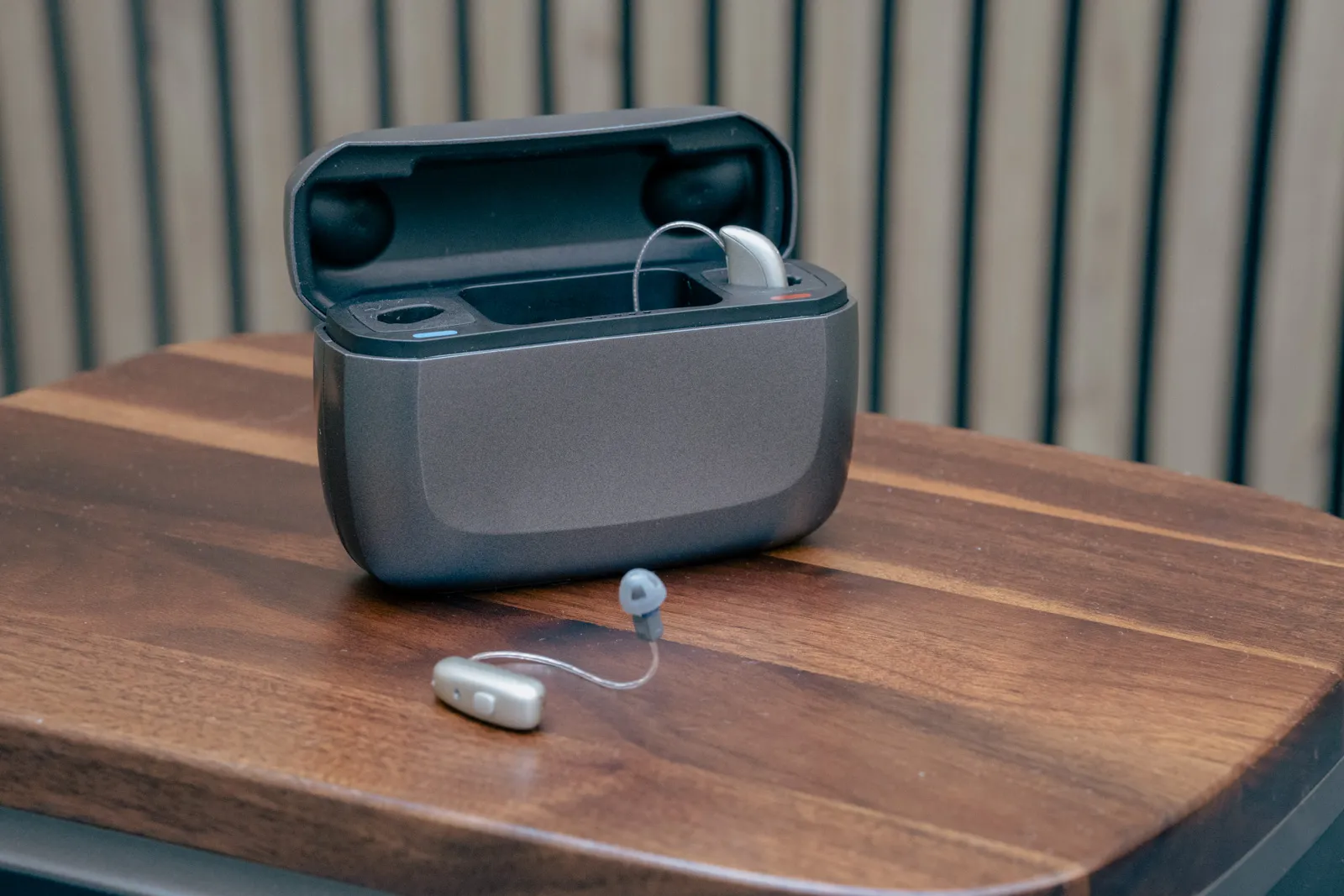
- Use the charger and power supply recommended for your aids.
- Check that the cable is connected and the power is on.
- Seat each aid in the correct charging position without forcing it.
- If the case has its own rechargeable battery, check that it has power too.
Keep the aids and charger clean and dry, following their cleaning instructions. Widex’s charging troubleshooting covers checks for power, positioning and debris in the charger.
The meaning of a flashing or coloured light depends on the model. Button-hold reset sequences vary too. Use the current instructions for your exact aid and charger, or ask your provider to guide you.
An aid that shows a full charge but no longer lasts through your usual day needs a different check from one that never begins charging. Tell the clinic which is happening. Do not open the case or try to replace a sealed rechargeable battery yourself.
Calls, music or the app have stopped working
Notice whether you can still hear ordinary conversation through the aids. If everyday listening is unchanged but phone audio has stopped, start with the connection and audio settings.
Check that the aids have power, Bluetooth is on and the phone is nearby. Look at the call or music player’s audio output to see where it is sending sound. An ordinary restart of the phone and aids, using their normal instructions, is a reasonable next step. Apple’s hearing-device support covers these checks for compatible Made for iPhone devices.
Music, calls and app control can fail separately. Some hearing aids use different connections for the app and streamed audio. Follow the manufacturer’s instructions before deleting pairings or resetting anything.
Our hearing-aid phone compatibility guide explains those differences. When asking for help, give the phone and hearing-aid models and say what still works. Mention a recent phone, app or hearing-aid update if the problem began afterwards.
The aid hurts or will not stay in place
Check that you have the correct aid for each ear and use the insertion technique you were taught. Pain, repeated slipping or difficulty taking an aid out are reasons to have the fitting checked. Do not force the earpiece or keep wearing an aid that hurts.
An aid that has always felt loose needs a different check from one that fitted well until yesterday. Tell your audiologist what has changed.
If a dome is missing and you think it may be in your ear, seek medical help to have it removed. Do not probe for it or put the aid back into that ear. Norfolk and Norwich’s audiology advice explains this precaution.
Stiff fingers or poor eyesight can make insertion and maintenance harder. Our guide to hearing aids with arthritis or poor eyesight covers handling techniques, fitting choices and help with occasional tasks such as filter changes.
If an aid gets wet or damaged
Switch a wet aid off using its instructions and ask your provider about drying it safely. Keep wet equipment out of the charger and away from direct heat.
Stop using damaged charging equipment or a case that has swollen or changed shape. Ask your provider for advice before using it again. Follow the safety instructions supplied with your equipment, such as these manufacturer precautions for the Widex sRIC charger.
Getting help with your hearing aids
Contact the provider who looks after your aids if the problem persists. Tell them which side is affected, when it started and what you have already checked.
Bring both hearing aids to the appointment. For a charging problem, bring the charger and its power supply. Bring your usual phone if the problem involves calls or the app.
At Alto, aftercare gives us time to check the fit, ear health, settings and maintenance. If speech has become harder to follow, the aids and your hearing may both need reviewing. You do not need to wait for your next routine appointment to raise a problem. Our hearing-aid aftercare page explains the support within our treatment plans.
We can usually change tubing on NHS hearing aids and check your ears for wax. We cannot reprogramme NHS hearing aids. Contact your NHS audiology service if the settings need changing.
For other hearing aids supplied elsewhere, tell us the make and model when you get in touch so we can confirm what help is available.