

Updated October 2026
At Alto, we recommend hearing aids and accessories together. If television is difficult every evening, we want to work out the TV connection while choosing the aids. If adjusting small buttons is awkward, a separate remote control may be part of the recommendation.
We start with how you spend your time and what you find difficult. That is why we see patients make regular use of TV streamers and remote controls, as well as microphones when they are indicated. An accessory earns its place by helping with something you actually want to do.
Find the help you need
Television · Remote controls · Personal microphones · Table microphones · Calls and computers · Your manufacturer
TV streamers: your volume, without changing everyone else’s
Turning the television up can leave you with louder music and effects while the dialogue is still hard to follow. Meanwhile, the person beside you would prefer it turned down.
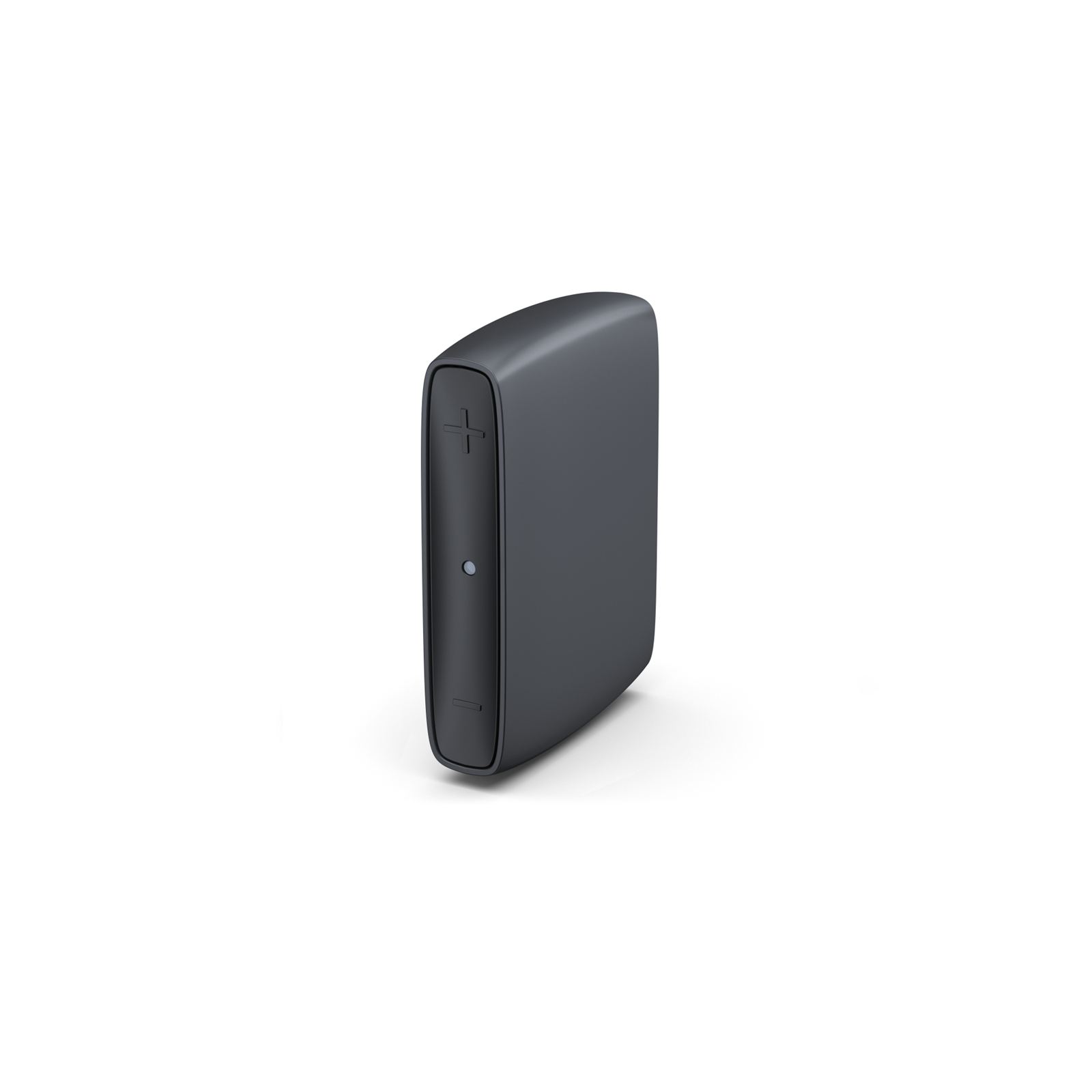
A hearing aid TV streamer connects to the television and sends its audio wirelessly to compatible hearing aids. You can adjust your listening level separately from the room volume, so you can watch the same programme together without having to agree on one setting.
Before choosing one, we would check the television setup. A photo of the connections on the back, along with the TV model and any soundbar, is more useful than knowing whether it is a “smart TV”. A headphone socket can mute the television speakers; other connections may allow them to stay on.
Then try starting the stream and changing the volume yourself. Depending on the equipment, you may use the hearing aids, an app or a remote control. We would also check the balance between the programme and the hearing-aid microphones, particularly if you want to hear your partner speaking beside you.
The streamer sends the whole soundtrack, including music and effects. Subtitles can still help with a difficult drama. RNID’s television guidance covers other ways to make TV easier to follow.
Remote controls: a few buttons can be enough
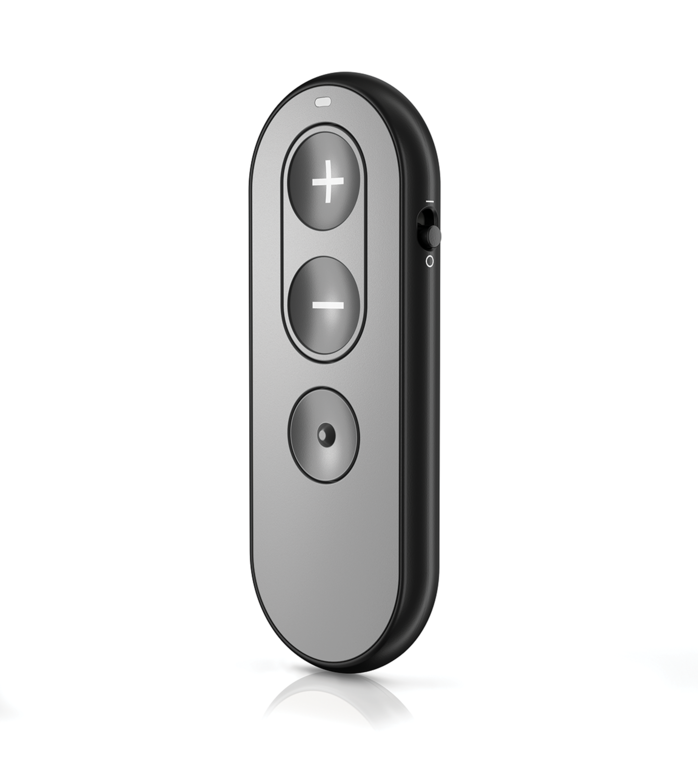
You may prefer a remote beside your chair to an app on your phone. It usually handles volume and programme changes, and some models also let you mute the aids or control streaming.
A separate control can be useful if small hearing-aid buttons are difficult to find or press. Limited finger movement and poor eyesight can make a difference, but plenty of people simply prefer buttons to a touchscreen.
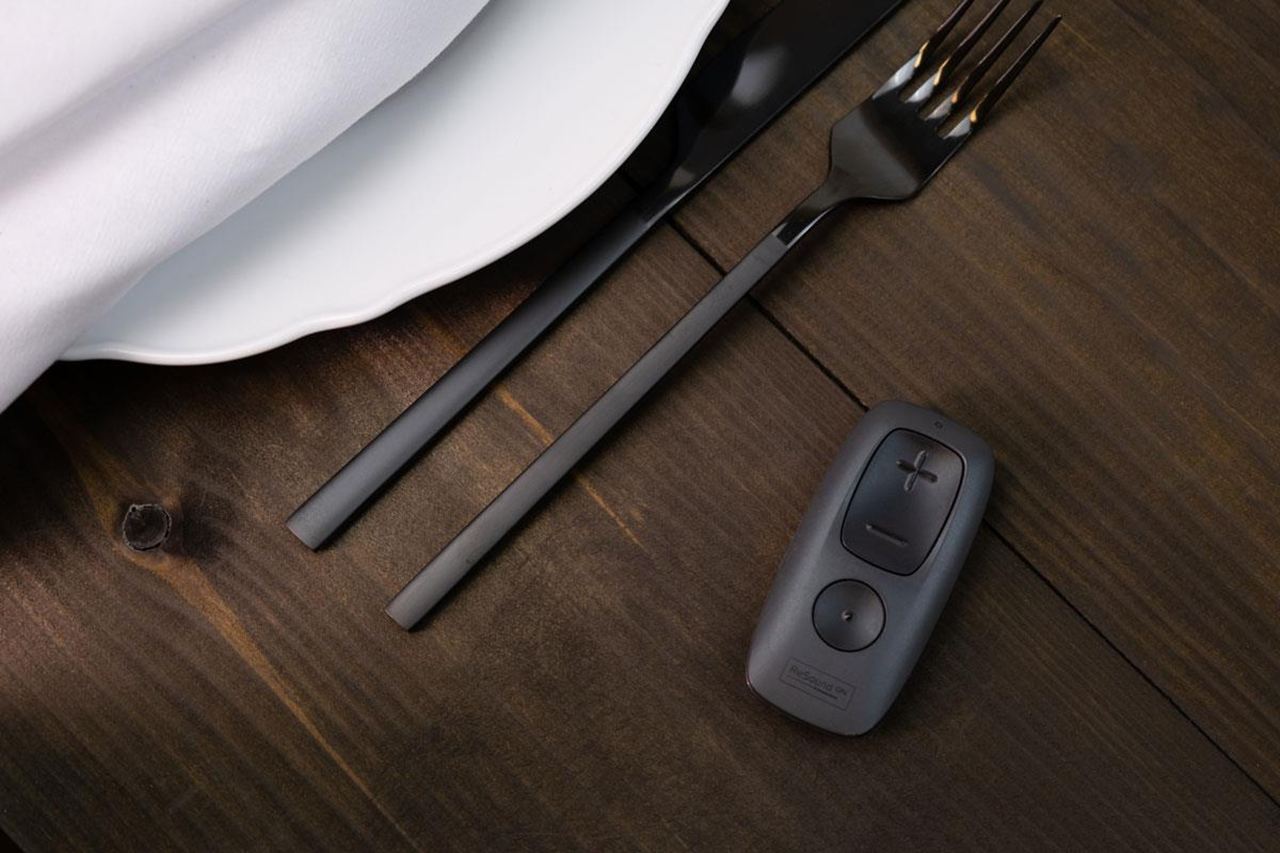
We would look at whether you can tell the buttons apart by touch and how you know an adjustment has registered. A display helps some people; others find a few clearly separated buttons easier.
Try changing the setting and getting back to normal listening. Watching someone else do it tells you very little about how comfortable it will feel in your own hands.
Personal microphones: bringing one voice closer
Across a busy restaurant table, your partner’s voice competes with nearby conversations and clattering plates. The microphones in your hearing aids pick up that mixture from where you are sitting.
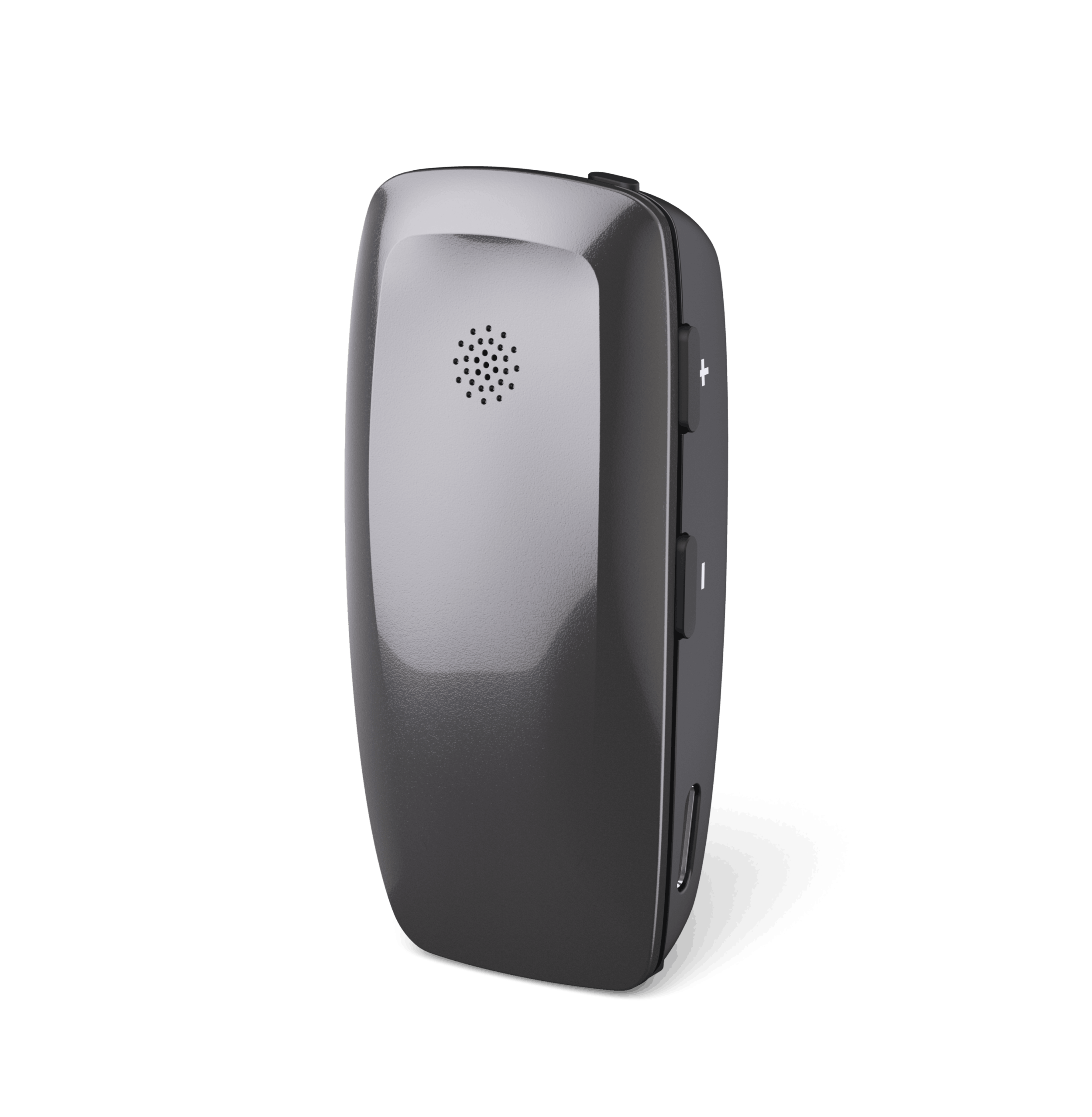
A personal remote microphone picks up speech closer to the person talking. Clipped to their clothing, it sends their voice wirelessly to your hearing aids. You receive more speech relative to background noise. This is a better signal-to-noise ratio, or SNR.

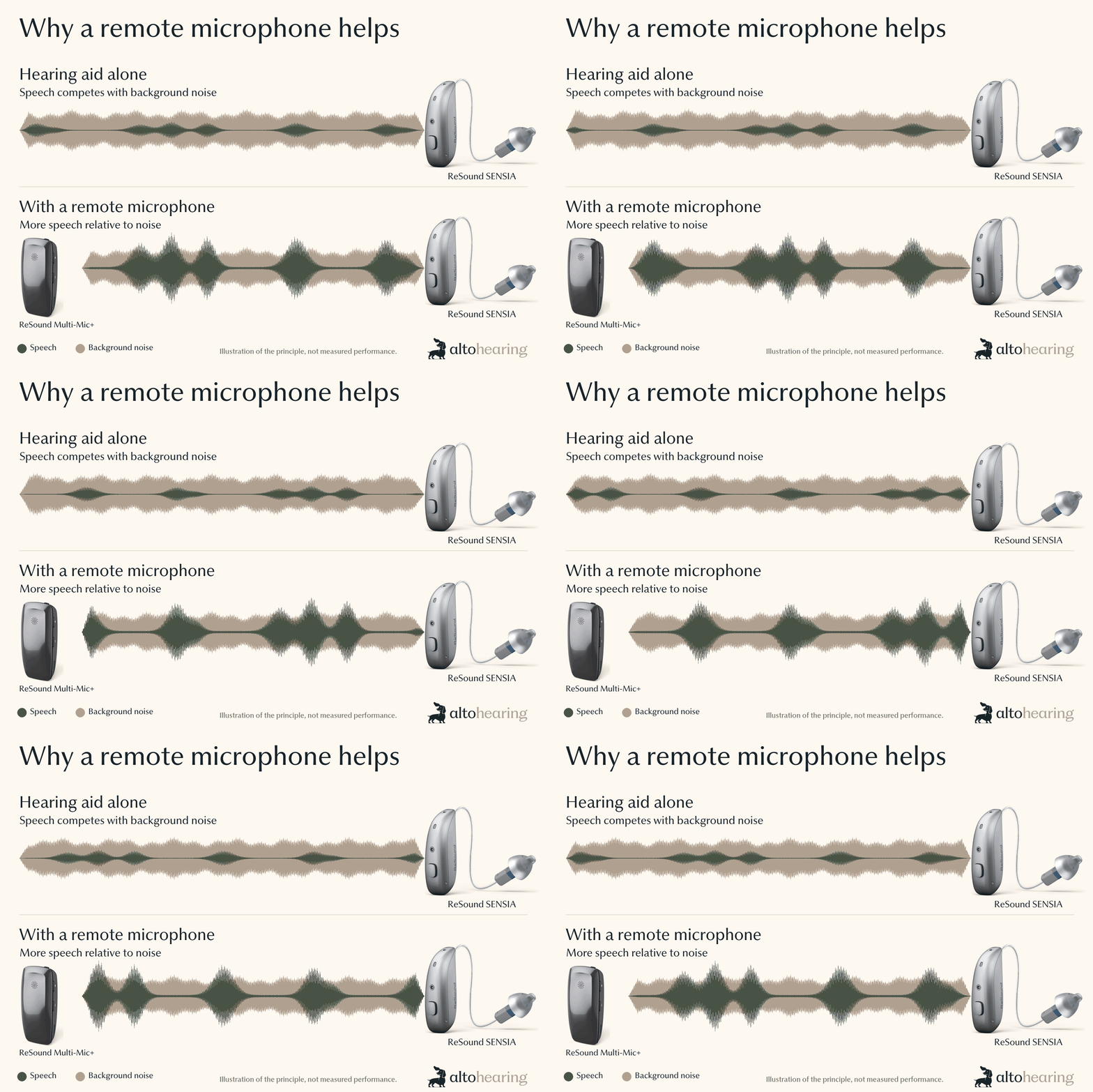
This can also help when listening to someone speaking from further away, perhaps at a club or a talk. Position matters. A microphone worn by your partner favours their voice, even when you turn to listen to somebody else.
At Alto, we discuss where you struggle and use QuickSIN speech-in-noise testing to help decide when a microphone is indicated. QuickSIN estimates how much more favourable a signal-to-noise ratio you need than someone with normal hearing. The audiogram alone cannot tell us that.
When a microphone is indicated, we find patients often use it a lot. Even with sophisticated hearing aids, placing a microphone nearer the speaker can help. That is worth considering when deciding whether to spend more on premium hearing aids.
Table microphones: following a group conversation
At a meal with several people, leaving a microphone clipped to one person gives the others less help. Passing it around can interrupt the conversation.
A table microphone sits among the group and sends speech to your hearing aids. Depending on the model, it can switch towards the person speaking or let you select a direction. Some personal microphones have a table mode; others are designed for group conversations and meetings.
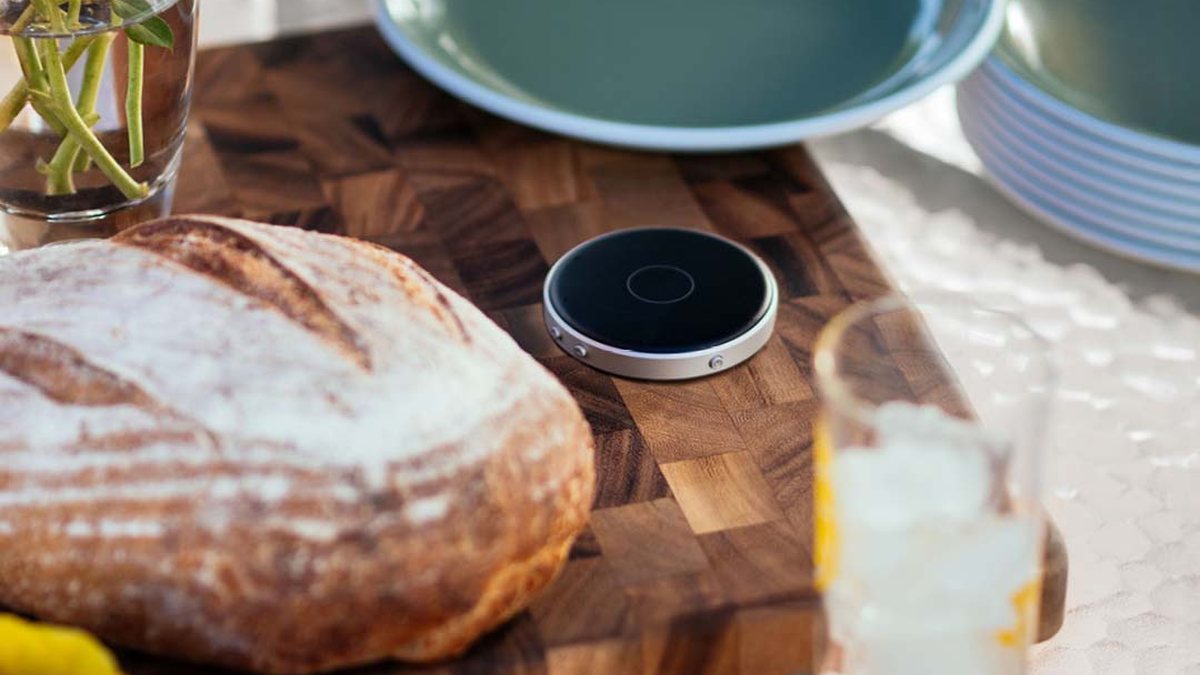
A long meeting table needs more thought than a small lunch table. Some systems can link several microphones to cover a larger space. Several people talking at once can still be difficult, however good the equipment.
During a demonstration, listen to people in different seats, with some competing sound. Check that you can still hear someone beside you through the hearing-aid microphones as well as the streamed conversation. That is closer to a real meal than one person speaking directly into the table microphone.
Phone calls, computers and hearing loops
Some hearing aids stream calls and other audio directly from a compatible phone. Others need an accessory to make that connection. Computer and landline calls can need a different arrangement again.
A small USB adapter can connect certain hearing aids to a computer. Some microphone accessories also handle Bluetooth calls or receive sound from a hearing loop, so one device may cover several jobs. The manufacturer guide below shows which products offer these functions.
Bring the phone or laptop you use. Hearing a caller through your aids and making a fully hands-free call are different capabilities. We need to check which microphone picks up your voice, too.
Everyday care and maintenance
Cleaning tools, wax filters, replacement tips and drying equipment need to suit your fitting. Retention clips can help keep the aids secure. At aftercare appointments, we can go over any parts you find difficult to handle and work out what help you need with maintenance.
Hearing aid accessories by manufacturer
Open a brand below to see its TV, control, microphone, connection and charging options. The exact hearing-aid model determines compatibility, including when you replace older aids with a new pair from the same manufacturer.
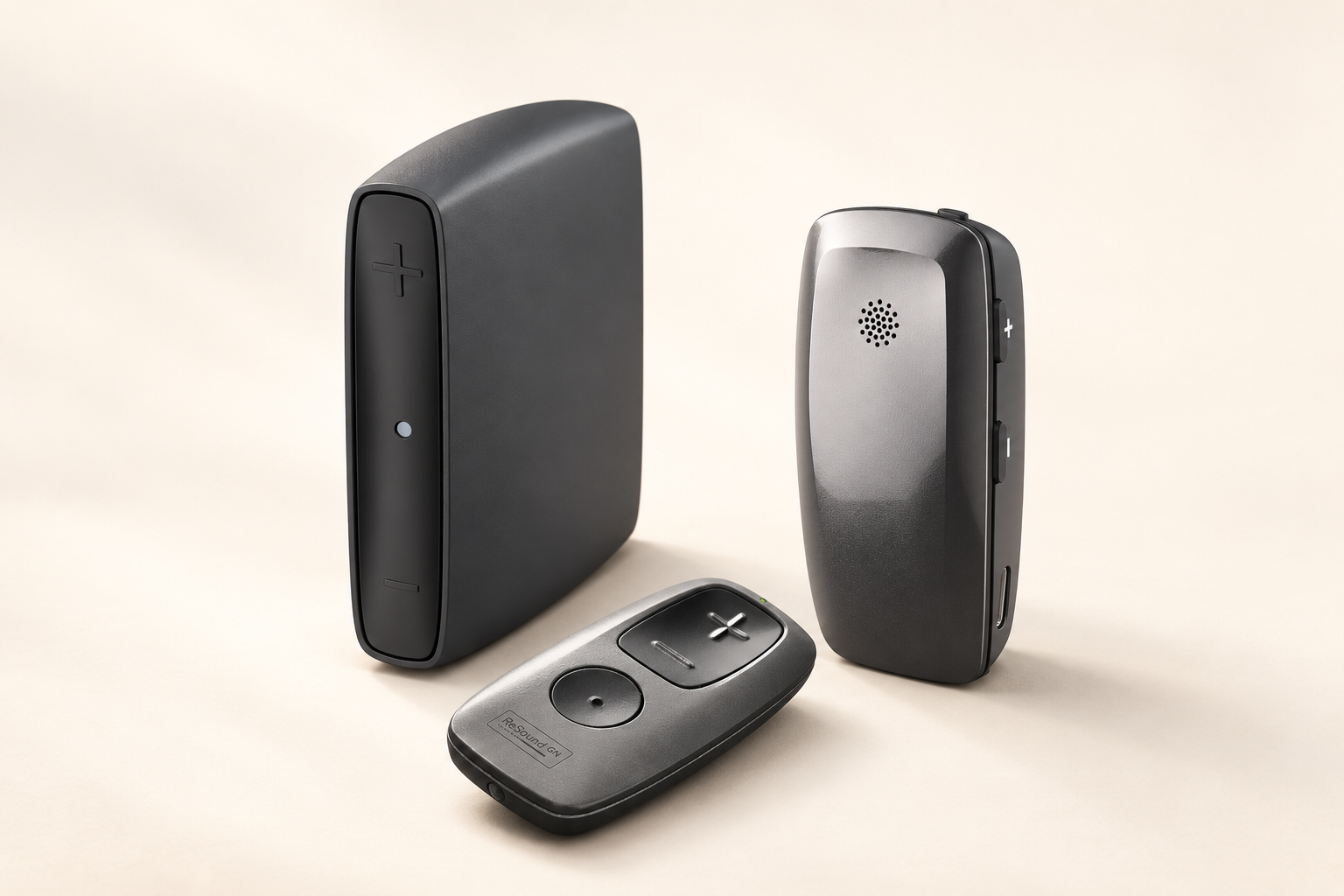
ReSound
- Television
- TV-Streamer+ and TV Streamer 2, for different hearing-aid generations.
- Remote controls
- Remote Control, with simple buttons, and Remote Control 2, with a display.
- Personal and table microphones
- Multi-Mic+ can be worn or placed on a table. The original Multi Mic and the personal Micro Mic serve compatible earlier fittings. TV-Streamer+ and Multi-Mic+ use a newer wireless platform, so check the exact hearing aids.
- Phone, computer and loops
- Phone Clip+ is a phone-streaming option for compatible earlier aids. Multi Mic and Multi-Mic+ also have audio-input and hearing-loop functions.
- Charging and app
- Premium, Standard, Desktop and Custom charging options depend on the model and style. The ReSound Smart 3D or Smart app provides controls for compatible aids.
Widex
- Television
- TV Play 2 works with compatible Allure and Moment aids. Original TV Play and TV-DEX serve other compatible fittings.
- Remote controls
- RC-DEX, including with Allure. Sound Assist also has control functions for compatible Moment aids.
- Personal and table microphones
- Sound Assist combines worn and table microphone modes, calls, audio streaming and hearing-loop reception. It works with compatible Moment aids and is not compatible with Allure. COM-DEX Remote Mic is another personal microphone, used with COM-DEX.
- Phone and computer
- SoundConnect connects compatible Moment aids to a computer. COM-DEX provides Bluetooth streaming for compatible fittings.
- Charging, care and apps
- Standard and Charge n Clean versions are available for selected Allure and Moment styles. Allure RIC and SmartRIC have their own Portable Chargers. PerfectDry Lux is a separate drying unit. The Allure, Moment and Tonelink apps serve different hearing-aid ranges.
Unitron
- Television
- TV Connector.
- Remote controls
- Remote Control for compatible wireless aids, plus the separate IIC Remote for compatible invisible-in-the-canal models.
- Personal and table microphones
- PartnerMic for a person to wear. Roger On 3, Roger Select 3, Roger Table Mic 3 and Roger Clip-On Mic offer further personal and group-listening options through RogerDirect on compatible Unitron aids. See how Roger connects below.
- Phone and computer
- Compatible wireless models can handle Bluetooth calls and audio directly. Older uDirect and uStream equipment belongs to earlier hearing-aid ranges.
- Charging and app
- All Charger and ChargerGo options for Smile, including ChargerGo S-RX. Charger RIC S fits selected Moxi Smile aids, excluding Moxi S-RX. There are also Moxi V-R/RT, Moxi R and Stride PR chargers, and a charger for custom Insera S-R aids. Selected chargers accept a power pack. Remote Plus provides app controls for compatible models.
Unitron accessories and chargers · Compatibility by hearing-aid model
Starkey
- Television
- StarLink Edge TV Streamer, plus StarLink TV Streamer for other compatible platforms.
- Remote controls
- StarLink Remote Control 2.0. Some microphone accessories also offer control functions.
- Personal and table microphones
- StarLink Edge Remote Microphone and Edge Table Microphone. The separate Mini Remote Microphone, Remote Microphone+ and Table Microphone serve other compatible platforms.
- Phone, computer and loops
- StarLink Edge LE Adapter connects compatible hearing aids with supported phones and computers. Remote Microphone+ also offers Bluetooth, wired-audio and hearing-loop connections for its compatible aids.
- Charging and apps
- StarLink standard and Premium chargers, including RIC and custom versions. Chargers 3.0 and Custom Chargers 2.0 belong to specific generations. My Starkey and the older Thrive app serve different hearing-aid ranges.
Oticon
- Television and controls
- TV Adapter 3.0 and Remote Control 3.0.
- Personal microphones
- ConnectClip and EduMic. ConnectClip also handles compatible Bluetooth calls and audio; EduMic includes wired audio input and hearing-loop reception.
- Phone and computer
- Easy LE Adapter for compatible LE Audio hearing aids. Phone Adapter 2.0 connects an analogue landline through ConnectClip or a suitable Streamer Pro setup. ConnectLine and Streamer Pro belong to older hearing-aid ranges.
- Charging, care and app
- Desk Charger and portable SmartCharger options, including SmartCharger X, matched to the hearing aid. SafeLine is a retention cord; the MultiTool helps with cleaning. Oticon Companion provides app controls for compatible aids.
Signia
- Television
- TV Sound and StreamLine TV.
- Remote control
- miniPocket. If you also use the Signia app, ask which control arrangement to use: the app can affect miniPocket pairing.
- Personal microphone, calls and audio
- StreamLine Mic combines a worn microphone with Bluetooth streaming functions for compatible hearing aids.
- Charging and care
- Desktop, Portable and Dry&Clean chargers, with versions for different hearing-aid styles. EarWear tips, sleeves and retention parts need to match the fitting.
Signia accessories and chargers · Control and streaming support
Phonak
- Television and controls
- TV Connector and Phonak RemoteControl. The RemoteControl version needs checking with Infinio and EON aids.
- Personal and table microphones
- PartnerMic, plus Roger On 3, Roger Select 3, Roger Table Mic 3 and Roger Clip-On Mic. Roger is also an option for compatible Unitron hearing aids, as explained below.
- Other connections
- Roger NeckLoop and Roger X provide receiver options for suitable systems. ComPilot, PilotOne and related equipment serve older ranges. Many current wireless Phonak aids stream Bluetooth calls and audio directly.
- Charging and apps
- ChargerGo RIC I E and Charger RIC E for the relevant newer aids; ChargerGo RIC Infinio and Charger RIC Infinio; ChargerGo ITE and Charger Virto Infinio for compatible custom aids; Charger Ease; Charger Case Combi; and Charger Combi BTE 2. The Power Pack works with selected Combi chargers. myPhonak controls compatible hearing aids; myRogerMic supports selected Roger devices.
Manufacturer ranges checked 5 October 2026. This guide covers adult listening accessories, charging and everyday care. Confirm UK availability and the exact model combination before ordering. Replacement parts and specialist classroom systems need a separate discussion.
How Roger works with Unitron, Phonak and other brands
Roger is made by Phonak and works directly with compatible Unitron and Phonak hearing aids through RogerDirect. A Roger receiver must first be installed in the aids. The newer Roger Unlimited microphones include receiver licences for that installation; check receiver provision separately for Roger Clip-On Mic.
Other brands can use Roger through a suitable receiver. Roger NeckLoop works with a telecoil-equipped hearing aid; Roger X needs a compatible audio shoe or streamer. Include any extra equipment when discussing the cost and how you would use it. Phonak’s receiver guide explains these connections.
Choosing something you will use
If you already rely on an accessory, bring its details when considering new hearing aids. We need to know that your familiar TV connection or table microphone will still work.
For a new accessory, try the routine as well as the sound. Start the TV stream yourself or change a programme with the remote. If someone will wear a microphone for you, involve them in the demonstration so they know how to position and mute it.
For someone choosing hearing aids, this discussion belongs in the Complete Hearing Assessment. If you already wear aids, bring them and tell us what is still difficult. Their settings or condition may need attention before we recommend additional equipment.
What would you like to hear more easily?
Tell us where you are struggling and which hearing aids you wear, if any. We can talk through whether an accessory, an adjustment or further assessment would help.