

If you wear hearing aids (or you know someone who does), you already know the difference between sound and useful sound.
A venue can be loud and still be hard work. Announcements blur. Dialogue turns into “I’ll catch up at the break”. You can be doing everything right, and the room still wins.
Auracast is interesting because it changes the input. Not by turning things up, but by sending the source audio direct to your own device. And it could change the world…
Prefer to Listen to this Article instead?
We’ve recorded this article in audio format, just hit play below if you’d prefer to listen rather than read.
Watch the Video Here:
Table of Contents
What is Auracast?
Auracast is part of Bluetooth LE Audio.
Instead of pairing a sound output to one headset, a venue (or a TV, or a laptop) can broadcast an audio stream for unlimited connections. If your kit supports it, you can join that stream and hear the source audio through your own device.
Think: you select a stream, rather than pair a device.
That’s the idea.
What it improves for hearing loss
Most difficult listening in public spaces isn’t about volume. It’s about what your hearing aids are being asked to work with.
Hearing aids perform best when speech is close. Once you’re a couple of metres away, the room starts taking over. Echo, competing noise, distance, speaker placement. The signal gets messy, and your hearing aids have less to grab onto.
Auracast changes the input. It can deliver a cleaner feed from the source, straight to your hearing aids.
You’re not “hearing more”. You’re hearing less of the room.
That’s why Auracast is most exciting in situations where you don’t get a second chance: travel announcements, theatre dialogue, lectures, guided tours.
5 real-world benefits you’ll notice first

Auracast won’t land everywhere in one go. It’ll show up where there’s already an audio system in place, and where the benefit is obvious.
1) Theatre, cinema and live talks: dialogue you can actually follow
If you’ve ever walked out thinking “I enjoyed it… I think”, you’ll get this. Distance, echo, and background noise all stack up. A direct stream means you’re hearing the venue’s feed, not a version that’s been knocked about by the room.
2) Travel announcements: fewer missed messages
Airports and stations are full of one-shot information. Gate changes. Platform alterations. Boarding calls. Miss it and you’re guessing. Auracast suits this perfectly, as long as joining is simple.
3) Multiple screens, multiple sources: you choose what you’re listening to
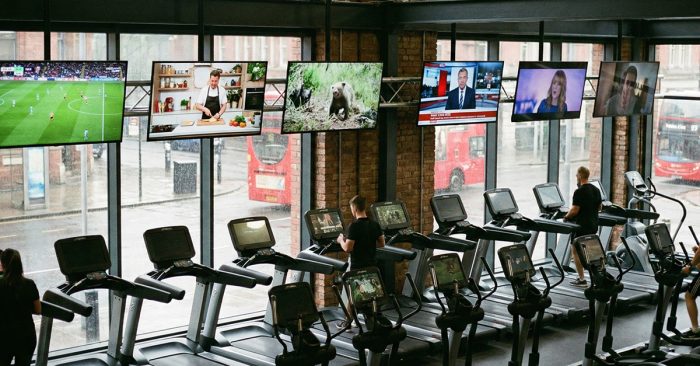
Gyms with several TVs. Sports bars. Waiting rooms with silent screens. Museums with audio guides. Auracast makes these places more usable because you can pick the stream you want.
4) Multiple tracks in the same venue: audio description and translation, properly delivered
A venue can broadcast the main audio plus audio description plus translation in parallel, and you choose what you need. No borrowing a receiver. No desk queue. No “we’ve run out”.
5) Home streaming that isn’t tied to one hearing aid brand

Historically, streaming accessories have been tied to the hearing aid manufacturer. With Auracast, third-party transmitters start to make sense. TV sound, laptop audio, video calls. Plug in a transmitter, broadcast the audio, join it on your Auracast-compatible hearing aids.
How you’ll use it in real life
Outside the home
In many setups, your hearing aids do the listening, but your phone helps you join the broadcast.
Typical scenarios:
- You see a broadcast listed on your phone and tap to join
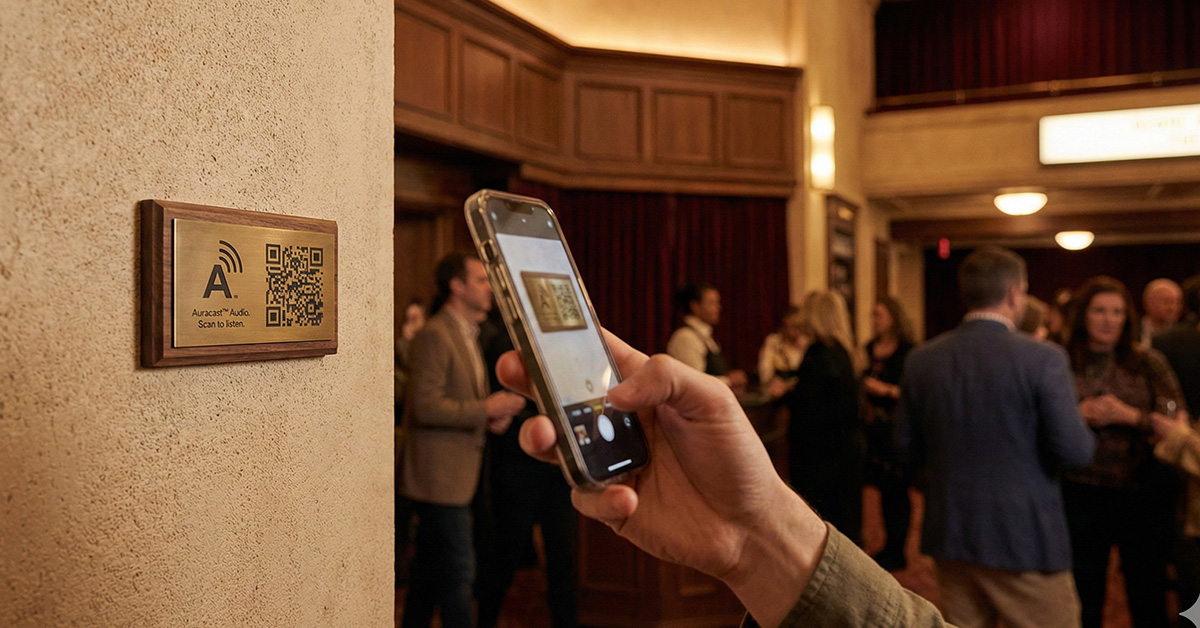
- You scan a QR code that takes you straight to the right stream
- You choose between streams (main audio, audio description, language options)
If a venue makes joining fiddly, people won’t bother. The best systems are obvious.
Inside the home
Auracast isn’t only about public spaces. At home it could make life simpler.
Up to now, streaming to hearing aids has often meant buying the manufacturer’s own accessories. TV streamers. Remote mics. They work, but you’re tied into one ecosystem.
Auracast opens the door to third-party transmitters that do one job: broadcast audio that compatible hearing aids can join.
TV sound is the obvious one. Laptops are another. Video calls, YouTube, webinars.
We’ve been testing a small USB Auracast transmitter that plugs into a computer and broadcasts the laptop audio straight to Auracast-compatible devices.
Compatibility: what has to line up
Auracast isn’t one tick box. It’s a chain.
- The venue must be broadcasting Auracast
- Your device must be able to receive it (hearing aids, earbuds, headphones)
- You need a straightforward way to join (often via a phone)
If one link is missing, you can have “Auracast-capable hearing aids” and still never use Auracast.
Watch out for vague wording
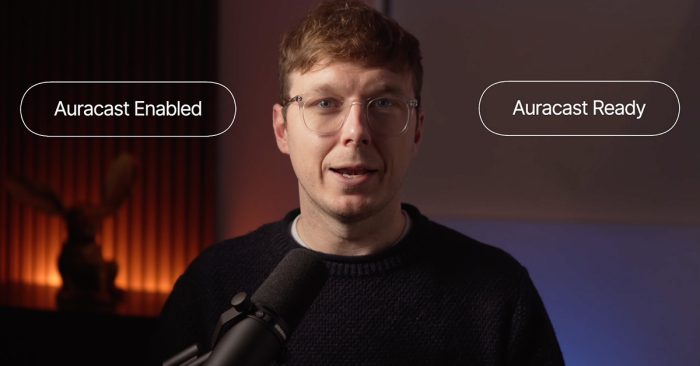
You’ll see terms like “Auracast-ready” and “Auracast-enabled”. They can mean very different things.
If Auracast is part of a buying decision, ask for something practical:
“Show me how I’d join a public Auracast broadcast with these hearing aids, using my phone.”
A straight answer is a good sign. A fuzzy answer tells you what you need to know.
Buying hearing aids in 2026: a sensible approach
Connectivity is attractive. It’s also a distraction if the fundamentals aren’t right.
1) Get the basics right
If speech isn’t clear day-to-day, start there.
Assessment, fitting, verification, follow-ups. That’s where outcomes come from. Broadcast audio doesn’t compensate for a poor fitting or missed aftercare.
2) Then ask about the Auracast pathway
If you’re choosing a new pair of hearing aids and you want to be future-friendly:
- Is Auracast usable now, or planned for later?
- What phones does it work with today?
- If updates are required, how do they arrive?
- What’s the fallback when a venue doesn’t offer Auracast?
3) Decide based on your life
Auracast is a bigger deal if you spend time in venues where direct audio changes the experience.
If your main struggle is restaurants and social noise, the bigger wins usually come from fitting quality, microphone strategy, and the right accessories. Auracast can still help, but it won’t be the daily fix for most people.
If you rely on loops or telecoil today
Loops are not going away overnight.
They’re widely installed and familiar. For plenty of hearing aid users, telecoil is still the simplest way to access assistive listening without needing a phone.
During the transition, it’s normal to want both options available.
If you currently rely on loop systems, don’t drop telecoil access casually. Make it part of the conversation when you’re choosing your next pair of hearing aids, especially if you spend time in venues where loops are common.
If you run a venue: what “good” looks like
Auracast succeeds when it’s easy to discover and easy to join.
If you’re involved in a venue, committee, or AV decision, this is the checklist:
- Clear signage that tells people what to do
- QR code joining where possible
- Broadcast names that make sense (“Main audio”, “Audio description”, “English”)
- Staff trained on one sentence: “Scan the code and choose the stream.”
- A transition option, because not everyone will have compatible devices for a while
The technology is one part. The experience is the whole thing.
Key Points on Auracast
- Auracast is broadcast audio you can join on compatible devices
- It’s most valuable where speech is hard work in public spaces
- Adoption will be uneven for a while, so plan for overlap
- If you’re buying hearing aids, prioritise outcomes first, then future pathways
- Ease of joining will decide whether people actually use it
FAQs
What is Auracast?
Auracast is a Bluetooth LE Audio broadcast feature that lets a venue transmit audio streams that compatible devices can join.
Will Auracast replace hearing loops?
Over time, it may replace many loop systems. In the near term, expect a long overlap where some venues have loops, some have Auracast, some have both, and many have neither.
Do I need a smartphone?
Often, yes. In many setups the phone helps you discover and join the broadcast. QR codes can make that much simpler.
Do I need new hearing aids?
Usually, Auracast requires newer Bluetooth LE Audio capability. Some newer pairs of hearing aids will support it now, others may depend on future updates.
Should I still get telecoil?
If you rely on loops today, telecoil can still be useful during the transition period. Don’t assume Auracast will be available everywhere you go.
The Latest
Why Background Noise Makes Hearing So Much HarderHearing Loss and Hearing Aids: How to Choose the Right HelpThe Hearing Event: Education Before DecisionDamped ear hook: why there’s a mesh inside your hearing aidDiabetes and hearing loss: the overlooked link, early signs and when to get tested