

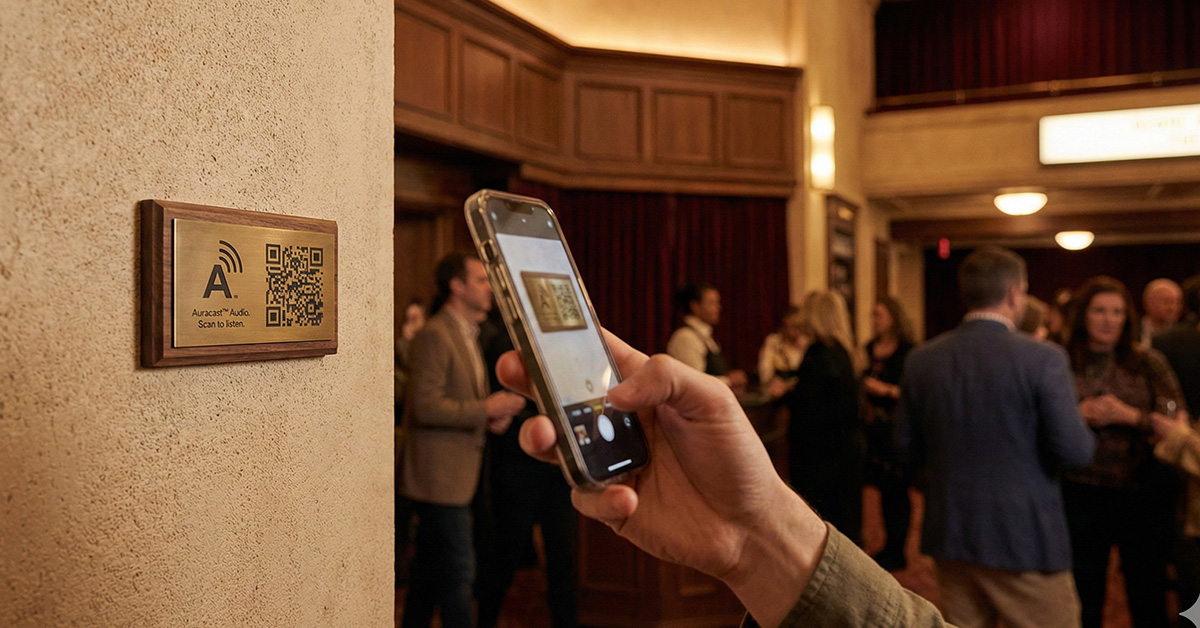
Auracast lets compatible hearing aids receive a theatre’s dialogue, a station announcement or TV sound directly from the source. You need a suitable broadcast and a way to join it with your hearing aids.
In this article
What is Auracast?
Auracast is the broadcast feature of Bluetooth LE Audio.
One transmitter can send audio to any number of compatible receivers within range. Each listener selects the broadcast they want to hear.
The hearing aids receive the broadcast directly. A phone or remote may help you select it, without carrying the audio between the transmitter and your hearing aids.
Why a direct audio feed can help
Distance, echo and competing noise can make speech difficult to follow even when it is loud enough.
A feed from the speaker’s microphone reaches your hearing aids without relying on the sound travelling across the room. Its usefulness still depends on the microphone picking up clear speech and the venue sending the right audio.
You may still hear surrounding sound through your earpieces or hearing-aid microphones. The balance between that sound and the broadcast depends on your hearing aids and their settings.
Listen to the original December 2025 article
The written article includes updated compatibility guidance.
Watch Adam explain Auracast
Five ways Auracast can be useful
1) Theatre, cinema and live talks

You can listen to the venue’s audio feed through compatible hearing aids. This can reduce the effect of distance and room acoustics on the dialogue you hear.
2) Travel announcements
An equipped airport or station can broadcast announcements to your hearing aids. Check which announcements are included and where the broadcast is available. Keep checking departure boards for gate or platform changes.
3) Choosing sound from different screens
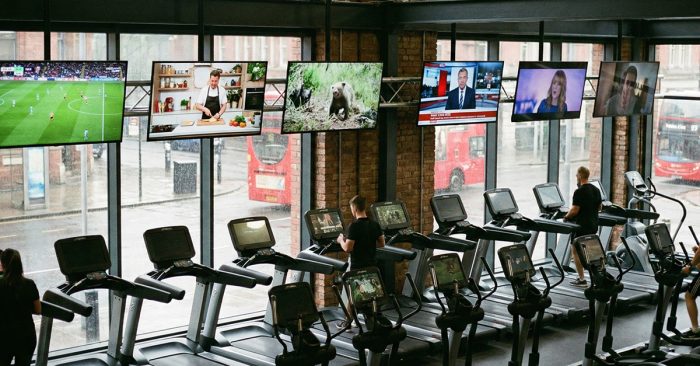
A gym, waiting room or sports bar can offer separate broadcasts for different TVs. You select the screen you want to hear while other people listen to another.
4) Audio description and translated tracks
A venue can broadcast separate tracks for its main audio, audio description or translated commentary. With compatible hearing aids, you may be able to choose the track you need without borrowing a receiver.
5) Sharing TV or computer audio at home
An Auracast transmitter can send TV or computer sound to compatible hearing aids from different manufacturers.
How to join an Auracast broadcast
At a venue
A supported phone or hearing-aid app can act as an Auracast assistant. It finds broadcasts and tells your hearing aids which one to receive. Some setups use a remote or a control on the receiving device instead.
Depending on your equipment, you may select the broadcast in a supported phone menu or hearing-aid app, or scan the venue’s QR code. QR joining needs support from both the phone and the joining software.
Where the venue offers several tracks, choose the main audio, audio description or language you need.
Venue staff should be able to help if joining fails and explain the other listening options.
At home
At Alto, we have successfully connected hearing aids for TV audio using ReSound’s Auracast-enabled TV-Streamer+.
A third-party Auracast transmitter may also suit a TV or computer. Before buying, check the audio connection, broadcast settings and support for your exact hearing aids.
Our USB Auracast transmitter review covers a small transmitter that plugs into a computer.
Phone-call streaming and hearing-aid app controls need separate compatibility checks. Our guide to hearing aids and phone compatibility explains these.
What needs to be compatible?
Three parts need to work together:
- The transmitter must send an Auracast broadcast in a format your hearing aids support.
- Your exact hearing-aid model and its installed software (firmware) must support receiving that broadcast.
- The phone, app, remote or device controls you use must support finding and joining it.
Bluetooth 5.2, 5.3 or 5.4 on a specification sheet does not prove Auracast reception. LE Audio support alone is also insufficient.
Does “Auracast-ready” mean it works now?
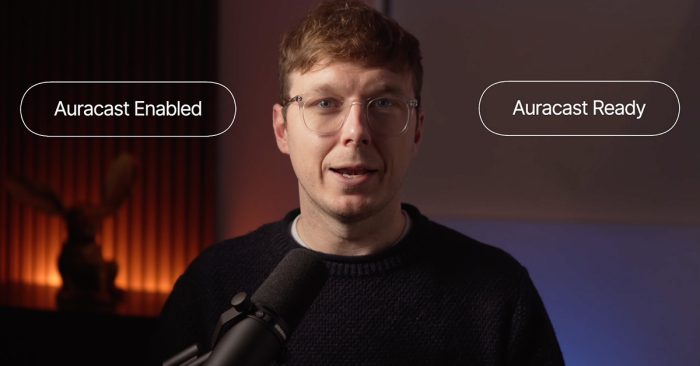
“Auracast-ready” can describe hardware awaiting an update. The manufacturer’s current instructions should say whether reception is enabled for your model and which joining methods it supports.
Before choosing hearing aids for Auracast, see the intended setup working. You should be able to select a broadcast, change the volume and return to normal listening.
Should Auracast affect your next hearing-aid choice?
At Alto, we would look at the places where you need help hearing and the equipment you already use before recommending hearing aids. If you regularly attend an Auracast-equipped venue, we would check how easily you can join its broadcasts.
For conversation in a restaurant, Auracast needs a microphone or audio source to carry the person’s voice. We would also consider your hearing-aid fitting, earpieces, microphone settings and whether a remote microphone would help.
Our Complete Hearing Assessment and hearing-aid fitting and verification help establish what amplification and support you need. Our hearing-aid treatment plans include fitting and follow-up care.
If you use hearing loops
A hearing loop sends audio to the telecoil in a compatible hearing aid. It is a separate system from Auracast and usually lets you listen by selecting the telecoil programme, without a phone.
If you use loops at a theatre, place of worship or other venue, keep that access in mind when choosing hearing aids. Auracast reception does not replace a telecoil where the venue only has a loop.
For a visit where Auracast is unavailable or will not connect, the fallback may be a working loop with your telecoil, or a venue receiver with suitable headphones or a neckloop. Confirm what the venue provides before you go.
What venues need to provide
Clear signage should identify the broadcast and explain how to join it. Names such as “Main audio”, “Audio description” or the language help visitors choose.
The system needs a broadcast format suitable for hearing aids. Bluetooth SIG recommends a standard-quality stream for public transmitters because some hearing aids cannot receive a high-quality-only stream.
- Provide QR joining instructions where supported, alongside another way to find the broadcast.
- Train staff to help visitors select a stream and explain what to do if it will not connect.
- Keep an accessible listening option for visitors whose hearing aids cannot receive Auracast.
Talk to Alto about Auracast and hearing aids
We can discuss the hearing difficulties you want to address, the equipment you use and whether new hearing aids would help. A Complete Hearing Assessment helps us advise on the fitting and support you need.
FAQs
What is Auracast?
Auracast is a Bluetooth LE Audio broadcast feature. A TV, microphone or venue system sends audio that compatible hearing aids, earbuds or headphones can receive directly.
Will Auracast replace hearing loops?
Auracast and hearing loops can coexist. The system you can use depends on what the venue has installed and what your hearing aids support. Keep telecoil access in mind if you use loops regularly.
Do I need a smartphone?
Many setups use a supported smartphone menu or hearing-aid app to select the broadcast. Others use a remote or controls on the receiving device. A QR code works only when the phone and joining software support it.
Do I need new hearing aids?
That depends on the exact model and installed software. Some hearing aids receive Auracast now. Others are awaiting an announced update or lack the necessary hardware. A Bluetooth version number or LE Audio support alone does not confirm reception.
Should I still get telecoil?
Telecoil is useful if you rely on hearing loops. Check the venues you use and the hearing-aid style you are considering. Auracast reception does not give access to a loop-only system.